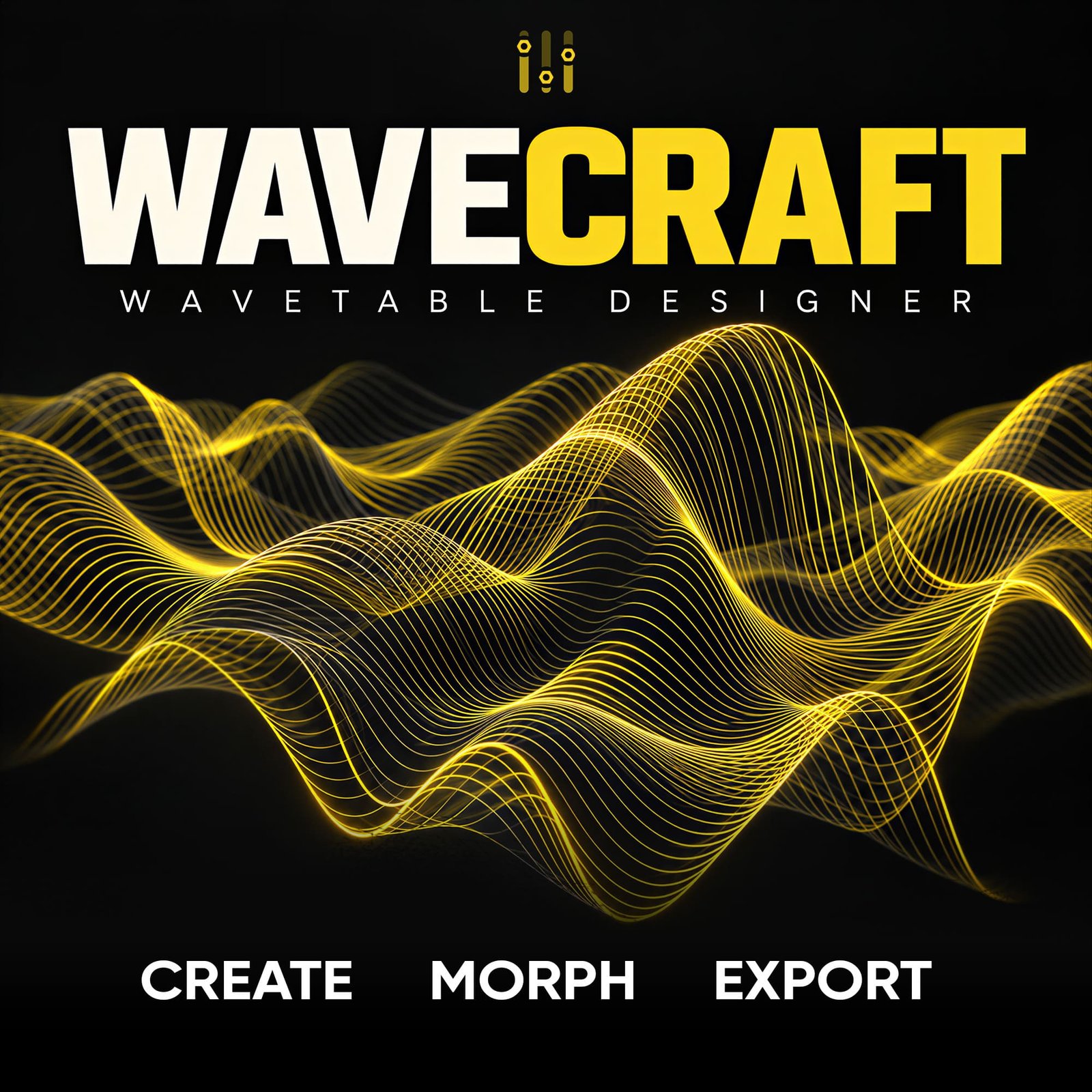
Create. Morph. Export.
Create Your Own Wavetables with Golden Screw WaveCraft
WaveCraft is a standalone Windows application designed to create, transform and export custom wavetables for modern synthesizers and professional sound design.
Combine evolving waveform sources, experiment with advanced processing algorithms and discover new sonic possibilities through controlled randomization. Build original wavetables for your music, presets and commercial sound libraries.
⚡ Advanced Dual-Wave Engine
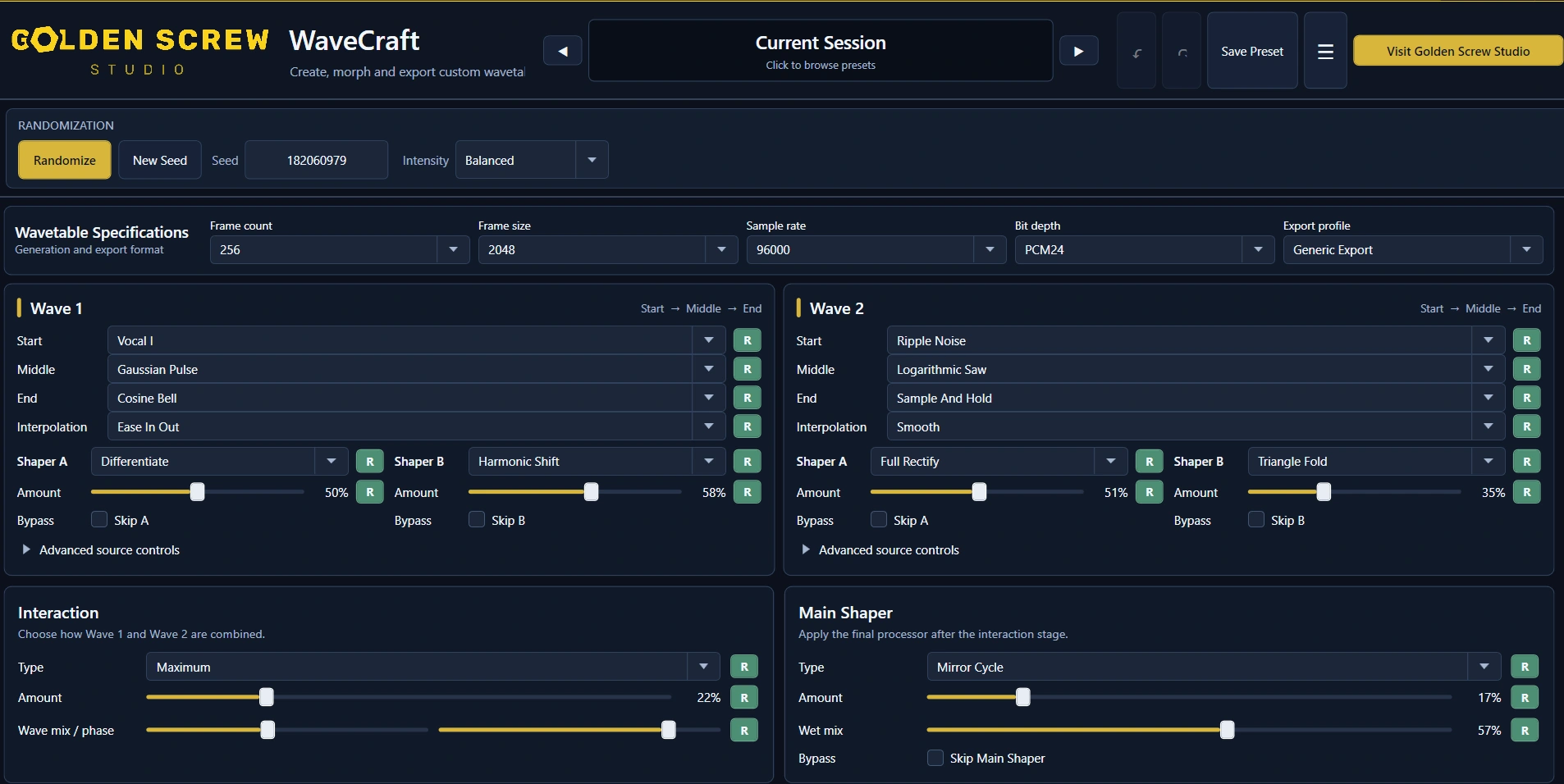
WaveCraft combines two independent waveform sources, each evolving through Start, Middle and End states. Shape their movement, process each wave independently and combine them to create entirely new sonic textures.
- 70 Waveforms — analog, harmonic, FM, spectral, vocal and experimental sources
- 70 Shaping Algorithms — distortion, folding, modulation, spectral processing and more
- 70 Interaction Methods — combine two sources through FM, ring modulation, phase transformations, morphing and other processes
- Three-Stage Evolution — control the transition between Start, Middle and End
- Main Shaper — apply additional processing to the combined waveform
🎲 Randomize Without Losing Control
Discover new combinations with a single click.
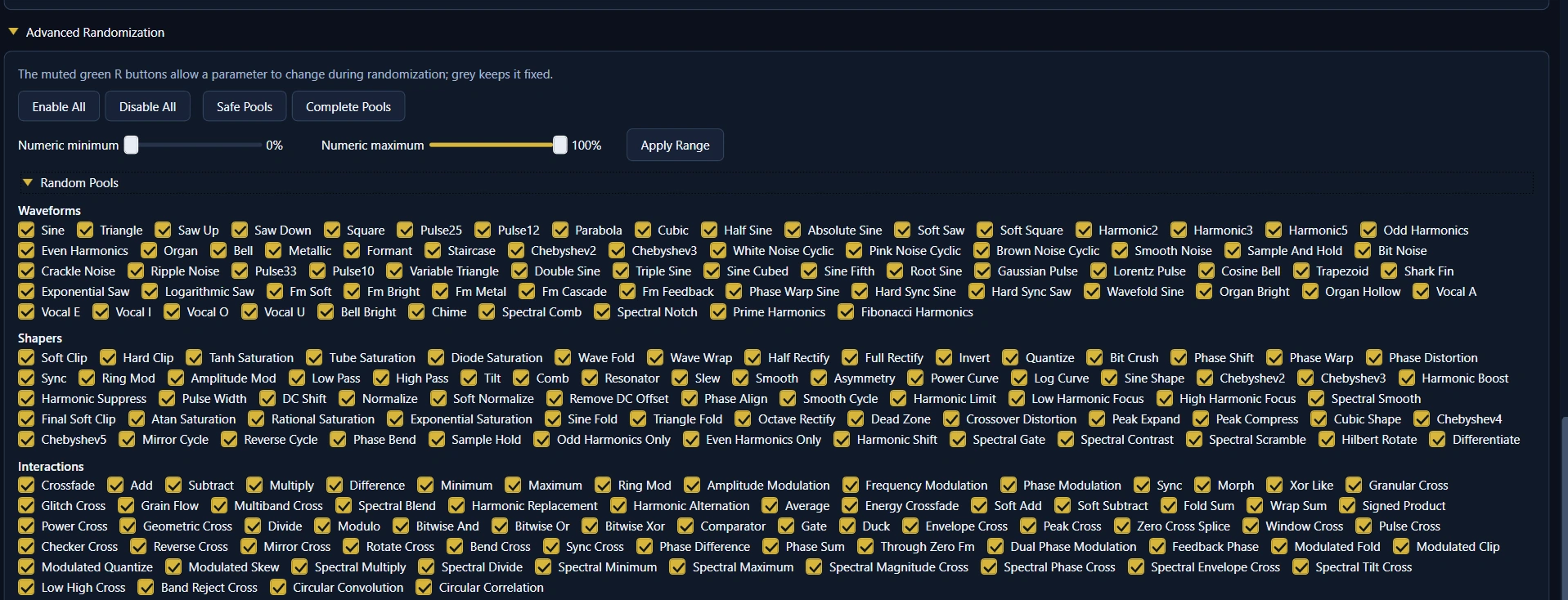
Every click on Randomize generates a fresh seed. Choose between Subtle, Balanced and Extreme modes, lock specific parameters, select algorithm pools and adjust ranges to guide the results.
Keep the elements you like, experiment with the rest and save your favorite creations.
📊 Visualize & Hear Your Wavetables
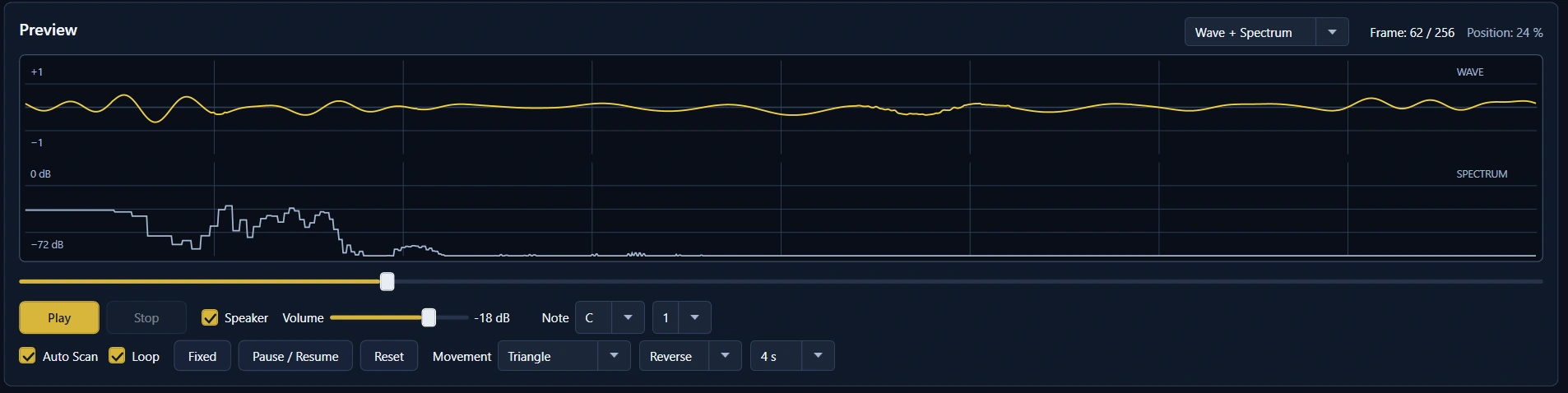
Inspect your waveform and its harmonic spectrum while listening through WaveCraft’s integrated audio preview. Navigate individual frames or use automatic scanning to hear how the sound evolves.
🎛 Create & Manage Your Preset Banks
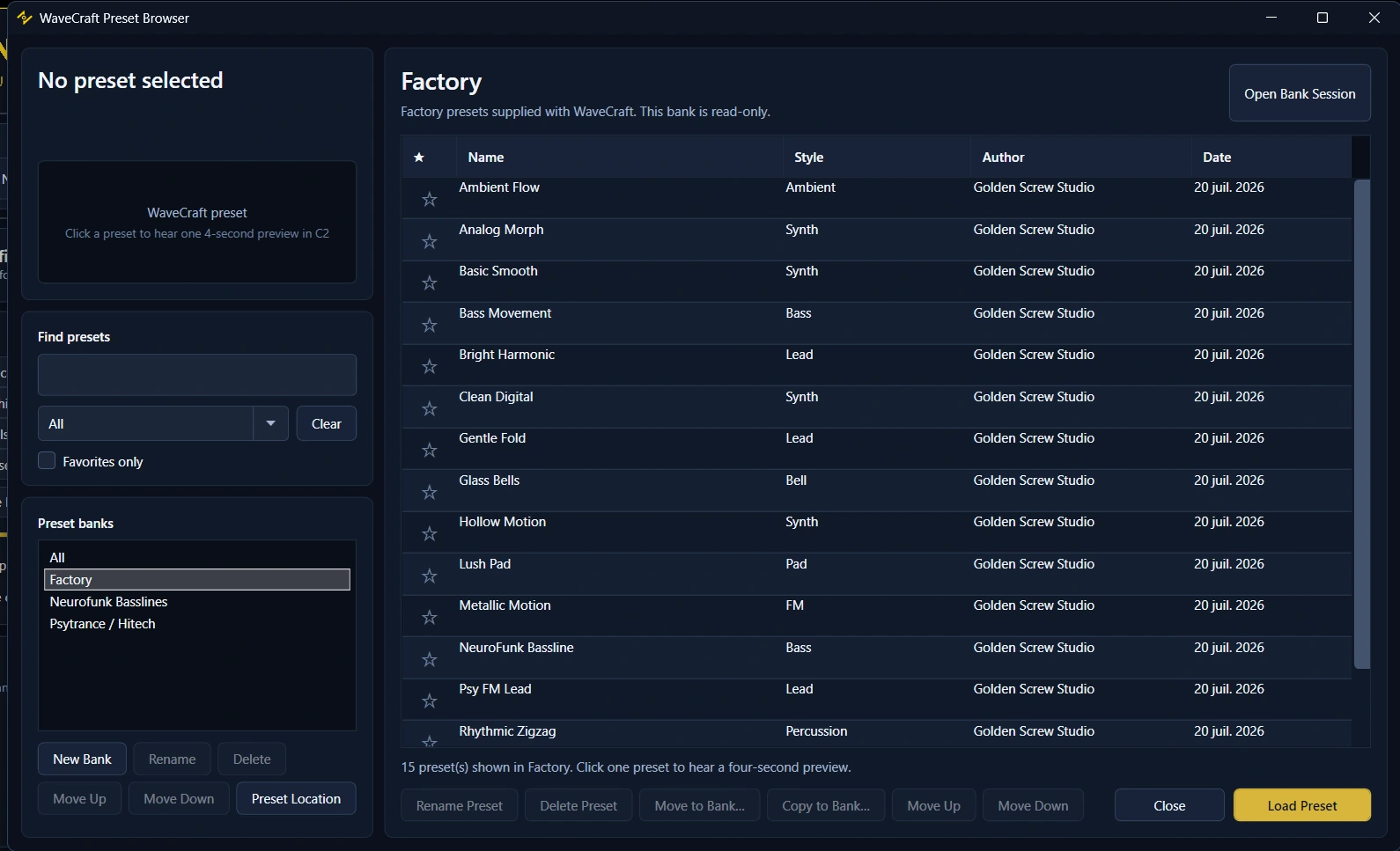
Start with 15 included Factory presets, then save your own sounds in custom banks. Organize, search, favorite and preview your creations directly inside WaveCraft.
🚀 Export Single Wavetables or Entire Batches
Export individual WAV wavetables or generate up to 100 requested variations in one batch, with adjustable diversity and automatic file numbering. Keep your exports together in a single folder without overwriting existing files.
Batch generation excludes silent, invalid or insufficiently different results, so the final accepted count may vary.
🎹 Tested Wavetable Compatibility
Export in WaveCraft. Import into your favorite synthesizer.
WaveCraft WAV exports have been tested with:
- Waves Codex
- Vital
- Serum
- Serum 2
- Arturia Pigments
- Kilohearts Phase Plant
- Ableton Live Wavetable
Other synthesizers supporting WAV wavetable import may also work, but have not been individually tested. Import settings and waveform interpretation depend on the destination software.
Serum Import Note
For Serum, use the 2048 Standard export profile in WaveCraft and choose an appropriate wavetable import method, such as FFT 2048.
When importing folders of 2048-sample-cycle WAV files, you can place a text file named FolderInfo.txt alongside the WAV files, containing:
[2048]
[no interp]
The text file specifies the cycle length and disables additional interpolation in supported Serum import workflows. FFT resynthesis and fixed-frame import may produce different results.
📦 Technical Specifications
- Software: Golden Screw WaveCraft 1.3.0
- Platform: Windows x64 — Standalone Application
- Frame Count: 1–512
- Samples per Frame: 128 / 256 / 512 / 1024 / 2048
- Sample Rates: 44.1 / 48 / 96 kHz
- Bit Depth: 16-bit or 24-bit PCM
- Export Format: Mono WAV
- Internet: Not required
- Subscription: None
- Updates: Lifetime updates included
💼 Commercial Use Included
All original wavetables you create with WaveCraft can be used commercially, including in music releases, sound design projects, sample packs, synthesizer presets and wavetable libraries intended for sale.
License Restriction: The unmodified Factory presets supplied with WaveCraft are excluded from these redistribution and resale rights. Software use remains subject to the supplied license agreement.
Create Your Own Sound.
Take control of wavetable design with Golden Screw WaveCraft.
One-Time Purchase • Lifetime Updates • Commercial Use